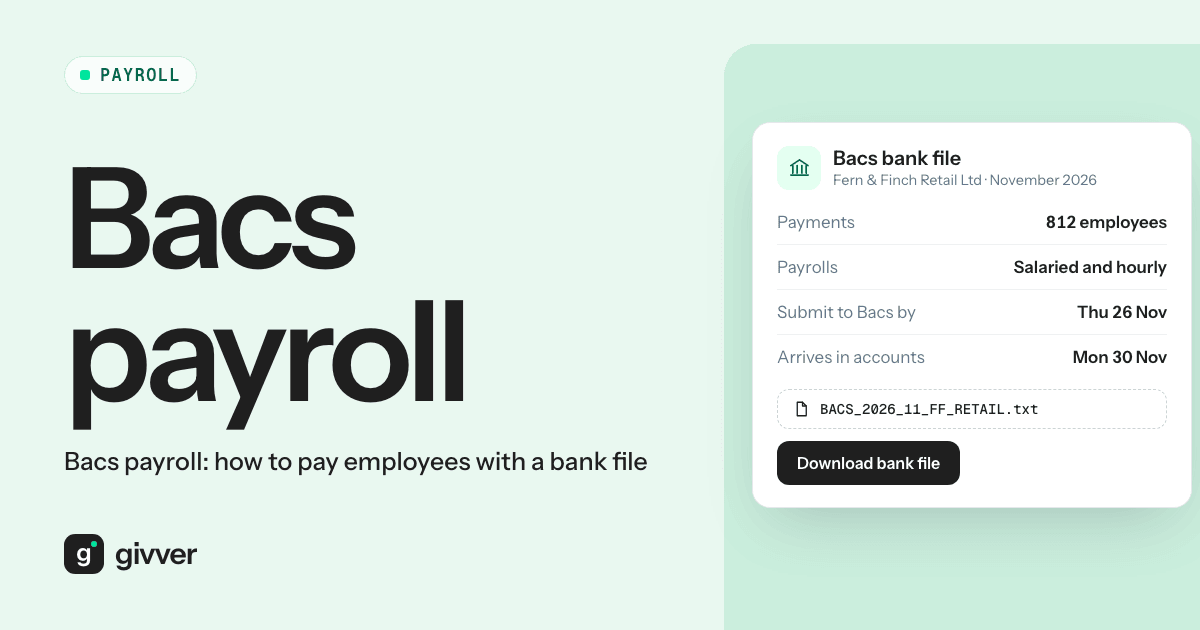
Bacs payroll means paying all your employees in one go from a single file, rather than typing each payment into online banking. Your payroll software produces a bank file listing each person’s name, sort code, account number and net pay. You upload it to your bank, or submit it to Bacs directly, approve it once, and the money arrives in everyone’s account on payday.
Many founders start the other way. Payday means logging into the business account and paying each person by hand, checking every sort code twice. Then the team grows and it stops working. The bank wants a different card reader or a second authoriser before it will allow bulk payments. The first file upload is rejected, because a bank file is not just a bank file. And anyone with access to the business account can see exactly what everyone earns.
This guide covers how Bacs payroll works, the two ways to send a file, when Faster Payments make more sense, and the checks to run before you release pay.
How does Bacs payroll work?
Salaries paid by Bacs use Bacs Direct Credit. According to Bacs, a payment runs on a three-day cycle:
- Input day. The payment file is sent, between 07:00 and 22:30.
- Processing day. The payments are processed between banks.
- Entry day. The money leaves your account and reaches your employees’ accounts.
The days are working days, so weekends and bank holidays do not count. Bacs also lets you send a file up to 30 days before the payment date. On payday you see a single debit for the total, not one line per person.
A worked example
Your payday is Friday 27 November 2026 and you have 12 employees with total net pay of £28,640.37.
| Day | What happens |
|---|---|
| Wednesday 25 November | Input day: the file must be with Bacs |
| Thursday 26 November | Processing day |
| Friday 27 November | Entry day: £28,640.37 leaves your account, each employee is paid |
If you upload through online banking, your bank will set its own cut-off, which may be earlier than the Bacs input window. Check it. If a bank holiday falls in the three days, the cycle moves back a day. For December, with Christmas and Boxing Day, build in extra time. Bacs publishes a processing calendar of non-processing days.
Two ways to send a payroll Bacs file
Bacs says businesses can send payments directly or indirectly. Direct access can be cheaper for high volumes. Indirect access, through your bank or a bureau, is often the best fit for smaller organisations.
Uploading a bulk payment file in online banking
This is what most small and mid-sized businesses do. Your business bank account offers a bulk or batch payment feature. You upload the file your payroll software produced, the bank checks it, an authorised person approves it, and the bank sends the payments.
What you need from the bank:
- Bulk payments switched on for your account (not always on by default)
- The right authorisation device or app for whoever will approve
- Clear user permissions: who can upload, who can approve
- The file format the bank accepts
Submitting directly to Bacs
Larger payers and bureaux often submit to Bacs themselves using Bacs-approved software. This needs a Service User Number (SUN), issued when a bank agrees to sponsor you, and more setup. For most small employers, the online banking route is simpler.
Why your bank rejected the file
“I thought a bank file was a bank file.” It is a fair assumption, and a common surprise. Each bank decides what format it accepts for bulk payments. Some take a simple CSV with set columns in a set order. Some take the Bacs “Standard 18” layout. Some need a header row; others reject one. Name length, the payment reference and the maximum number of payments per file all vary.
Before your first live payroll:
- Find your bank’s bulk payment help page and note the exact format it accepts
- Make sure your payroll software produces that format
- Upload a small test file, or the real one well ahead of the cut-off, so a rejection does not threaten payday
Bacs vs Faster Payments for payroll
Faster Payments are the other option. According to Pay.UK, payments are usually available almost immediately, though they can take up to two hours. Many banks let you send a bulk file by Faster Payments too.
The scheme allows individual payments of up to £1 million, but each bank sets its own limits by account type and channel, and some cap the total you can send per day.
| Bacs Direct Credit | Faster Payments | |
|---|---|---|
| Speed | Three working days | Usually near-instant |
| When to send | Two working days before payday at the latest | On payday, or the day before |
| Fees | Check your bank’s tariff | Check your bank’s tariff |
| Limits | Set by your bank for bulk files | Scheme limit plus your bank’s own limits |
| Good for | Regular, predictable pay runs | Late runs, corrections, one-off payments |
Faster Payments buy time, which helps when approvals run late. But they also remove a safety buffer. With Bacs, a problem spotted the day after upload can sometimes still be fixed. With Faster Payments, the money has gone. Whichever you use, the checks below matter more than the rail.
Paying HMRC and pensions separately
The bank file only pays your employees. Two other payments come from the same payroll and are made separately:
- HMRC. PAYE tax, National Insurance and student loan deductions are due by the 22nd of the next tax month if you pay monthly, or the 19th if you pay by cheque. Use the amount from your payroll’s employer payment record.
- Pension scheme. Contributions go to your workplace pension provider, usually by Direct Debit or a payment you make against the contribution schedule. The Pensions Regulator says you have an ongoing legal duty to pay contributions on time, by the due dates agreed with your scheme. Employee contributions you deduct must reach the scheme by the 22nd of the month after the deduction if paid electronically, or the 19th otherwise, as the regulator’s code of practice on receiving contributions sets out.
Keeping salaries confidential
A bulk payment shows as one debit on your statement, but the file and the payment detail can still be opened by anyone with the right bank access. Two practical steps:
- Set bank user permissions. Give upload and approval rights only to the people who run payroll. Ask your bank whether it can hide bulk payment details from other users.
- Use a separate payroll account. Move the total net pay into a dedicated account a day or two before the payment date and pay from there. Fewer people need access to it, and the main account’s statement shows one transfer.
Checks before you release pay
Run these every time, before anyone approves the file:
- Totals match. The file total equals total net pay on the payroll summary, to the penny. In the example above, £28,640.37 in both places.
- Headcount matches. The number of payments equals the number of employees paid this period, allowing for leavers’ final pay.
- New or changed bank details are verified. Confirm any change by calling the employee on a number you already hold, not by replying to the email that asked for it. Fake requests to change bank details are a common fraud.
- Big changes are explained. Anyone whose net pay moved sharply from last month has a reason: overtime, a starter’s part month, a statutory payment.
- Two people. One person prepares; another approves. Ask your bank to require a second authoriser for bulk payments if it offers one.
How Givver fits
Givver is HMRC-recognised payroll software. It produces the bank payment file from each approved pay run, sends payslips automatically and handles pension management and statutory payments. Givver does not move money: you upload the file to your bank and release it there, so the final say on payments stays with you. See how a pay run works on our payroll page, or read more about payroll approvals.
If you are moving to a new provider, test the bank file in your first parallel run. Our guide to switching payroll providers mid-year covers that.
FAQs
How long does a Bacs payroll payment take?
Three working days: input, processing and entry. Your employees are paid on the third day. Weekends and bank holidays add time.
What is a payroll Bacs file?
A file your payroll software produces listing each employee’s bank details and net pay. You upload it to your bank, or submit it to Bacs, to pay everyone in one batch.
How do you pay employees in the UK?
Most employers pay by bank transfer, either by Bacs Direct Credit or Faster Payments, using a bulk payment file from their payroll software. Tax, National Insurance and pension contributions are paid separately to HMRC and the pension scheme.
Should I use Bacs or Faster Payments for payroll?
Bacs suits regular, planned pay runs. Faster Payments suit late runs and corrections. Check your bank’s fees and limits for each.
Take payday off the to-do list
Paying people one by one works until it does not. A tested bank file, a clear cut-off and two sets of eyes before release make payday routine. See how Givver handles this.